
Giving Scribus a Shot
Let's rant about Affinity and Scribus for a bit.

I wrote recently about how Affinity v3 makes me kind of nervous, as it is starting down the path of enshittification which you can read about over at So about Affinity v3.
While v2 is going to work for the at least near-term and getting it running on Linux is now easier than ever (thanks to the AffinityOnLinux Lutris Script), I'm still looking for an escape hatch. Which, as far as I can tell, means Scribus.

So, this is a post to talk about all the strange things I've encountered so far and document my effort to move over.
The Baseline: Affinity Publisher V2
So, if you've seen some of my posts, I use Affinity Publisher v2 for the majority of my TTRPG layout work. I've never used Adobe InDesign, and Publisher was my first real foray into desktop publishing so it's really my main point of reference. So when I compare it to Scribus, I don't have another frame to go off of.
There are a lot of things I really like about Publisher, after I learned and got used to them, which is why I'm facing a bit of a learning curve when trying to work with something else. So let's dig in.
Master Pages Work Differently
In Affinity, Master Pages have the ability to set Text frames that you can modify in the actual layout while the remainder of the master page is left untouched, like so.
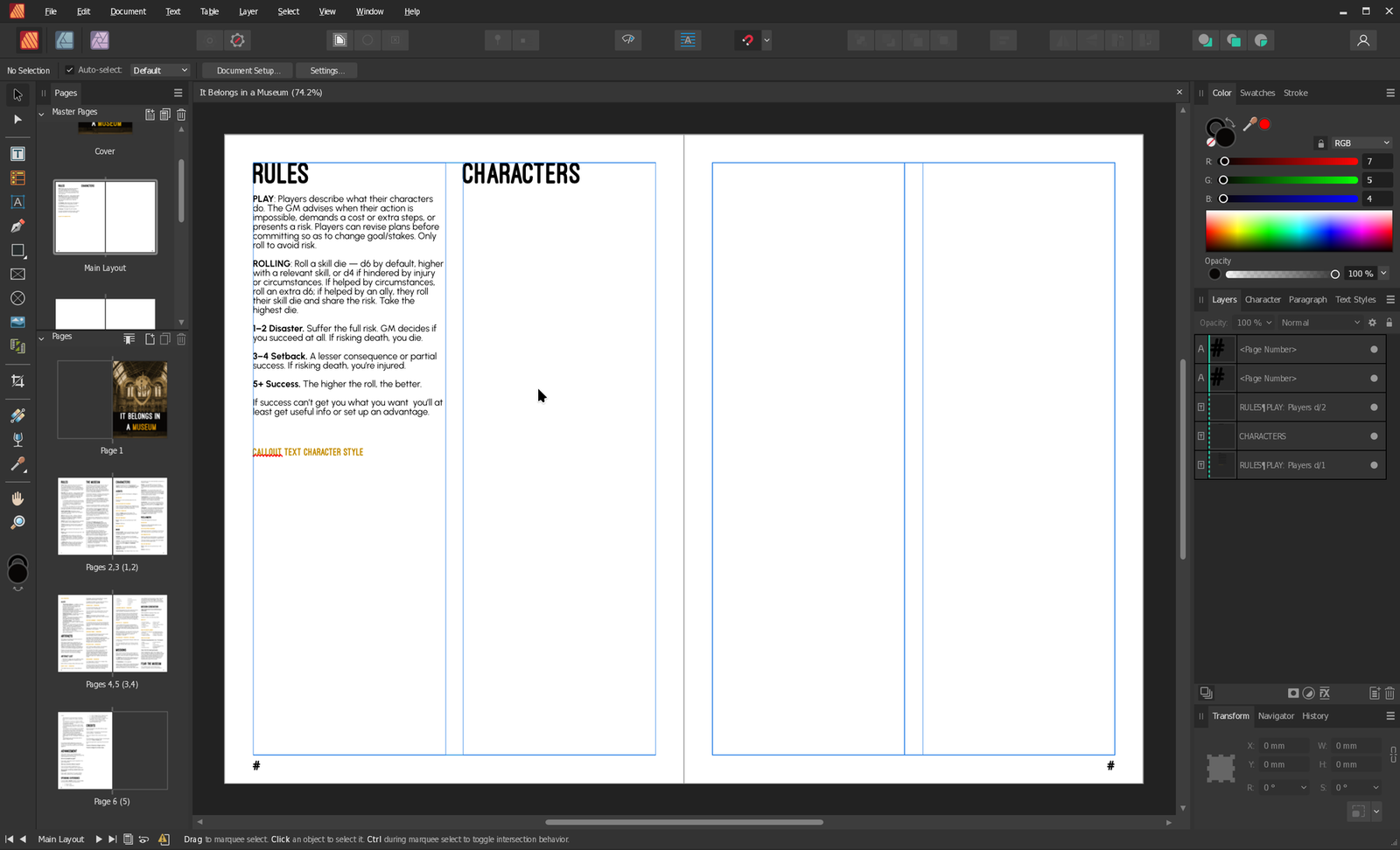
Likewise, if you need to make a change to an individual page independent of its master, you can detatch the elements you want to change, while keeping the remaining elements attached to the master. This can lead to some interesting situations where things do not behave as you'd expect, but it's very handy.
In Scribus, you do not have the ability to use text frames like you'd expect, nor can you edit the contents independently — they're pretty limited to showing "background" information. So, if you decide you need to update how text frames work across an entire document (as far as I can tell) you have to go through and rework the whole document.
A Lack of Text Decoration Styles
One thing I really like to do in Affinity is play with the borders around text, to produce effects like this:
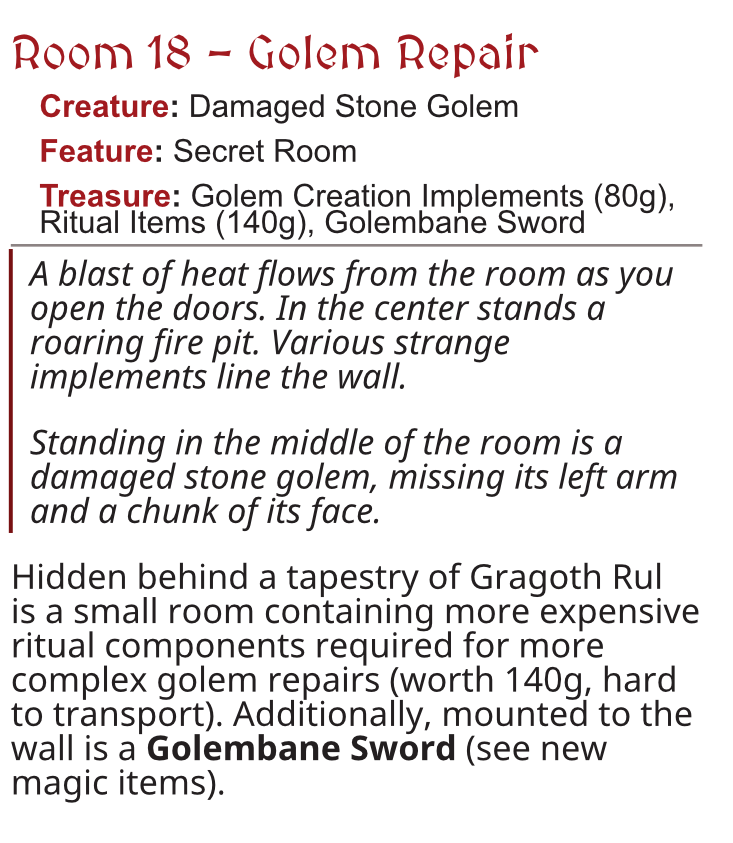
In Affinity, these are paragraph decorations, and you can set them as part of the paragraph style.
Near as I can tell, there is no equivalent in Scribus. Instead, you must create an entire separate text area, set a border on that and then place it where you want in the doc. This becomes a major issue if you want to do this in a bunch of places.
Text Styling is way less convenient
Affinity has some really nice contrivances for working with text. While both programs have the concepts of paragraph and character styles, the way you work with them in Affinity is a lot cleaner.
Here's my current workflow in affinity:
- Update some text inline with the style I want to test
- If it looks good, I can right click to either update the current style, or create a new one.
- If I subsequently make changes inline to something with a style applied to it, I can click a button to update every style in the document
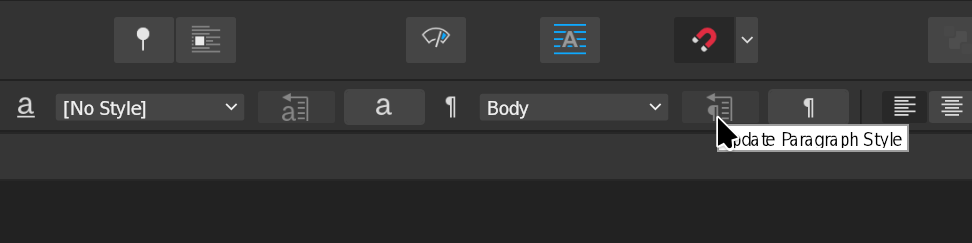
Unfortunately, in Scribus, you have to do everything from the Styles Panel. Updates, changes, etc. have to occur there. Near as I can tell, there's no way to update some text inline and have that apply to a style.
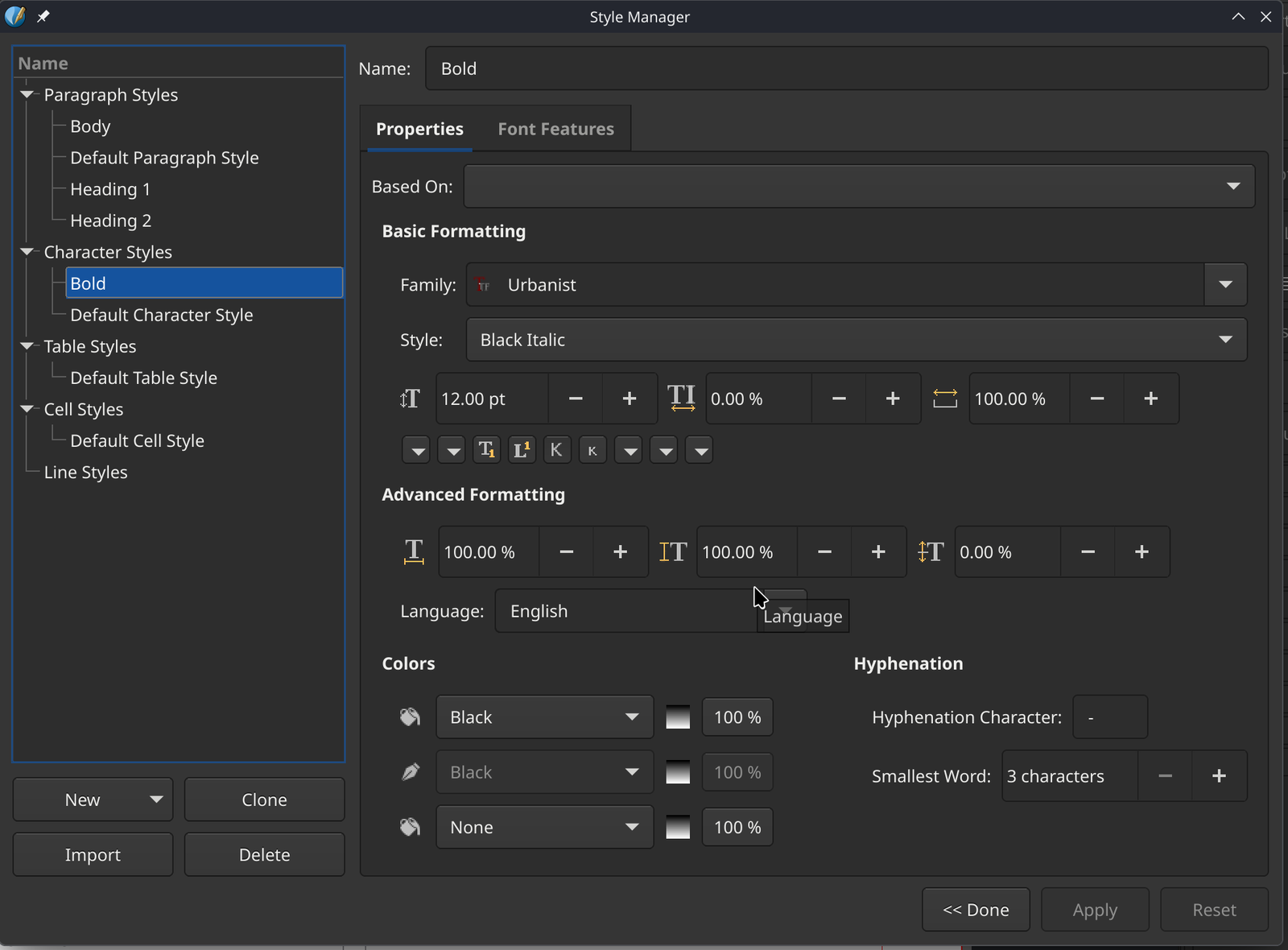
This means you have to tweak the styles outside the context you're working on, check how it applies to the entire document (which might reflow a bunch of stuff) and tweak what you're changing until you're satisfied.
And while we're on the subject, Affinity has a "bold" / "italic" / etc. button, and responds to Ctrl + b to bold text, for example. This is not a thing in Scribus. You must set a character style (it doesn't even come with a "bold" on a new document) and then set the character styles of the thing you want to bold.
You cannot even bind a hotkey to "set this text to this character style". It's wild. Apparently it's this way due to the devs' philosophy on false bold. Which I get. But come on, let me set a hotkey at least.
So about those styles
One thing I like to do in Affinity is create a Paragraph style called "body" and then make that body the default paragraph style. Good, convenient, I can name it what I want.
Scribus provides a style literally called "Default Paragraph Style", and expects you to edit it to your liking. Fine, good, etc. But it kinda drives me a little bonkers that I can't rename it. Or make my own and say "use this one from now on".
It's a minor thing, and I'm being a little petty. Ah, well.
Everything's just a bit less convenient and causes more friction.
Let's rattle off some things. Want to make a color change in Affinity? Use the color wheel. In Scribus, you have to go into the Colors panel, and make a new color, which then populates a dropdown.
In Affinity, you can say "this style follows this other paragraph style". Nothing of the sort in Scribus. Every new paragraph is just the Default Paragraph Style.
In Affinity you can say a table is inlined with the text in a text frame, meaning it moves when the text does! This is awesome. Not a thing in Scribus as far as I can tell.
Working with images in Affinity is nice, you can resize an image inside of its frame with a little slider. Scribus also kinda sorta lets you do this, but only via a couple of buttons on the properties panel.
Okay, is there anything that Scribus does better?
Not really? I think the best I can do right now is that tables in both Affinity and Scribus are equally bad? They're really hard to work with in either program.
Please tell me I'm wrong
I'm still scouring forums and internet documentation to figure out if some of these things are possible, but the Scribus documentation isn't the best, and there's decades of information out there that may be no longer accurate.
So if I've messed up something super obvious please tell me in the comments. I'd appreciate it.